
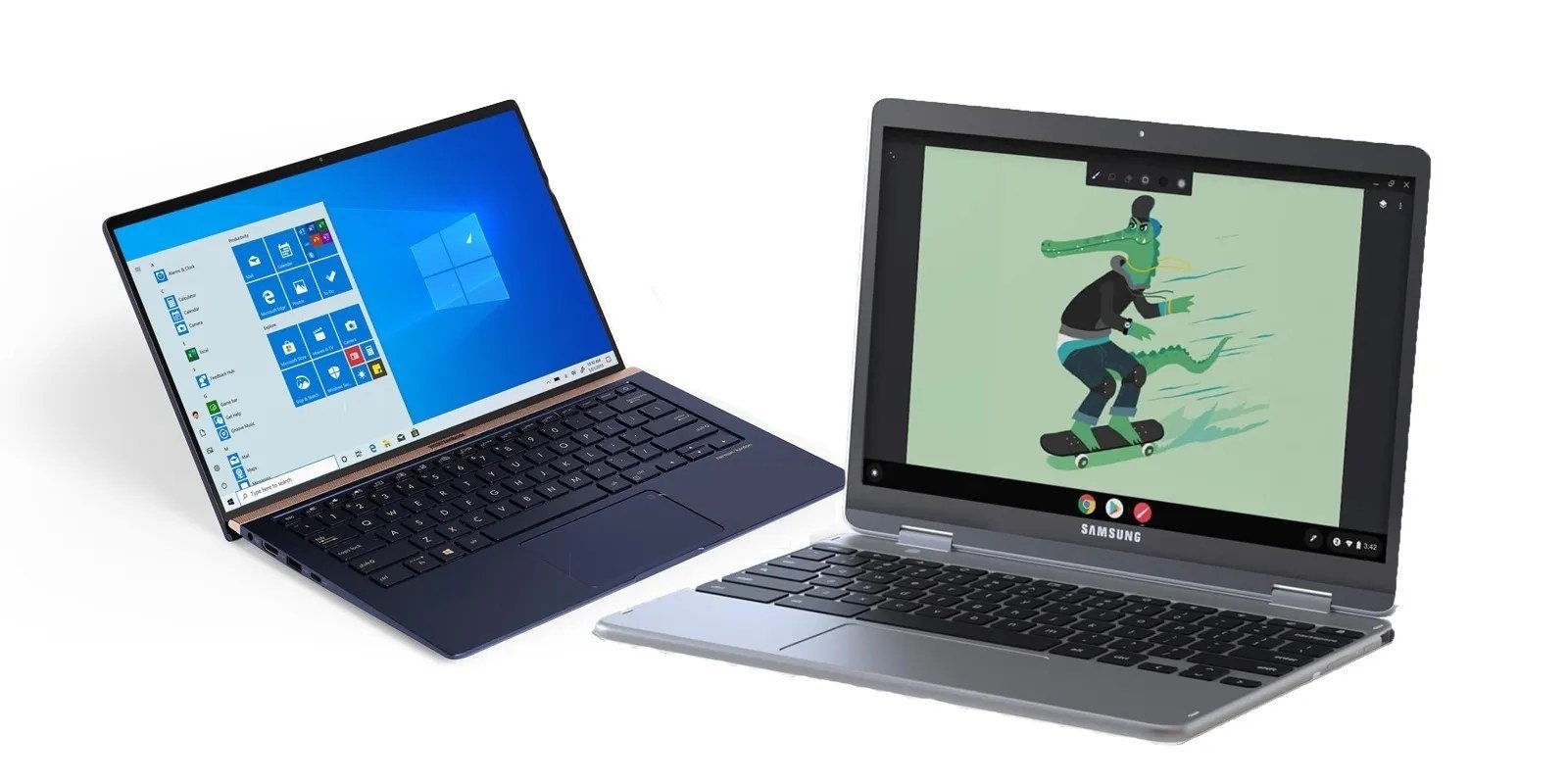
Which Is Better for Students: A Chromebook or a Windows Laptop?

Which is better for students, a Chromebook or a Windows laptop? If you’re shopping for school, this is the fork in the road that matters most — and the honest answer is that it depends entirely on what the student actually does all day, not on which machine looks cooler.
I’ve bought both for family members heading to college. The Chromebook kid finished four years without a single complaint; the Windows kid needed the full desktop software for engineering classes. Same family, opposite right answers. Here’s how to figure out which camp you’re in.
Which Is Better for Students: Start With the Software They Need
This is the whole decision in one question: does the student’s coursework require Windows or Mac software? Engineering, architecture, film, and many science programs need full desktop apps — SolidWorks, AutoCAD, Adobe Premiere, SPSS — that simply don’t run on Chromebooks. If that’s the major, the debate is over: get the Windows laptop.
But most students live in a browser anyway: Google Docs, Canvas, Blackboard, Zoom, Gmail, YouTube. For humanities, business, education, and general-ed coursework, a Chromebook handles literally everything, boots in seconds, and never nags about updates during a lecture. Check the program’s requirements page before you shop — it settles the question fast.
Price, Battery Life, and Durability
Chromebooks dominate on value. A solid student Chromebook costs $250 to $400, while a Windows laptop worth carrying for four years starts around $550 to $700. That $300 gap buys a lot of textbooks — or groceries. Chromebooks also sip power: 10 to 12 hours of real battery life is normal, versus 6 to 9 on most Windows machines.
Durability favors Chromebooks too, in a practical sense. There’s less to break in software terms — no antivirus subscriptions, no mysterious slowdowns from years of accumulated cruft, and if the machine dies the week before finals, you can borrow any computer, sign into Google, and keep working. For a student who’s rough on gear, that resilience matters. Speaking of value, the same math applies when deciding Is it worth buying a refurbished laptop for college — refurbished can stretch either budget further.
My quick decision framework — answer these honestly:
- Required software for the major? Windows-only apps = Windows laptop, no debate.
- Budget under $400? Chromebook wins — a $350 Chromebook beats a $350 Windows laptop every time.
- STEM, design, or film major? Windows (and check the RAM — 16GB is the sweet spot).
- Younger student or technophobe parent? Chromebook: less to break, less to fix.
- Needs to last 4+ years with zero fuss? Chromebook’s simplicity ages better.
The Hidden Limitations of Chromebooks
Let’s be fair about what Chromebooks can’t do. Offline work is limited — fine on campus Wi-Fi, annoying on a plane. Printing can be fiddly with older campus printers. And specialized needs like coding bootcamps, music production, or PC gaming are non-starters or severely compromised.
Storage is another gotcha: many Chromebooks ship with 64GB, which is fine if everything lives in the cloud but tight otherwise. And while Android apps run on Chromebooks, the experience is hit-or-miss — some apps are clearly phone apps stretched onto a laptop screen. Know these limits going in and none of them will surprise you.
Windows Laptops: Power With Strings Attached
A Windows laptop does everything — that’s its pitch and its problem. Full Microsoft Office, every professional app, real gaming, proper file management. For STEM students and anyone who might need niche software later, that flexibility is worth the premium.
The strings: Windows needs maintenance. Updates, antivirus, driver quirks, and the gradual slowdown that afflicts every Windows machine after a couple of years of student life (translation: 400 Chrome tabs and three game launchers). Budget an extra $100 or so over four years for a decent antivirus or just learn Windows Security, which is honestly good enough now — see Do I really need antivirus software on Windows anymore before you pay for protection you may not need.
The Bottom Line
Which Is Better for Students a Chromebook or a Windows Laptop? Mistakes Parents Make
The number one mistake: buying on price alone without checking the major’s software requirements. A $250 Chromebook is a fantastic deal until sophomore year when the engineering program requires SolidWorks and you’re buying a second laptop in a panic. Email the department or check the program’s website before shopping — it takes five minutes and prevents the most expensive mistake in this entire decision.
Second mistake: skimping on RAM to save $80. An 8GB Windows laptop in 2026 is already wheezing with a browser full of research tabs, and it’ll be miserable by junior year — 16GB is the real minimum for a four-year machine. Third: ignoring the keyboard and screen. Students type thousands of words and stare at the screen for hours; a mushy keyboard and dim display cause daily misery that no processor spec fixes. If possible, type on the actual machine before buying.
Don’t overlook the keyboard and trackpad in person if you can. Students type thousands of words and scroll endlessly; a shallow, mushy keyboard or a jumpy trackpad causes daily friction that no processor spec compensates for. If buying online, read reviews specifically mentioning keyboard feel and trackpad quality — not the benchmark scores. And check the webcam: remote classes and video calls are permanent now, and a decent 1080p webcam versus a grainy 720p one is the difference between looking professional and looking like a blurry ghost in every seminar.
Most students doing browser-based coursework should buy the Chromebook and pocket the savings. Students whose majors demand desktop software should buy a Windows laptop with 16GB of RAM. Match the machine to the major, not to the marketing, and you won’t regret it.
Buy the machine for the major, with 16GB of RAM, a keyboard you can tolerate for four years, and a screen bright enough for library work. Get those four things right and the Chromebook-versus-Windows question mostly answers itself — and the laptop disappears into the background, which is exactly what a school tool should do.
[…] Wi-Fi, webcam, all ports, keyboard, trackpad. If you’re deciding between platforms too, our Which is better for students a Chromebook or a Windows laptop breakdown helps you choose the right type […]
[…] months is a security risk, not a bargain. If you’re also tablet-shopping for a student, our Which is better for students a Chromebook or a Windows laptop Chromebook comparison might change the plan […]