
What Is the Best Budget Tablet for Reading and Streaming?

What is the best budget tablet for reading and streaming? You don’t need to spend $500 to get a great couch-and-bed tablet — the budget tier has gotten genuinely good. For reading ebooks and watching Netflix, a $150–$230 tablet does about 95% of what the expensive ones do.
I’ve bought budget tablets for kids, parents, and myself, and the pattern is clear: screen quality matters most, brand ecosystem second, and raw processing power barely matters at all for these uses. Here’s what to buy and what to skip.
What Is the Best Budget Tablet for Reading and Streaming? The Short List
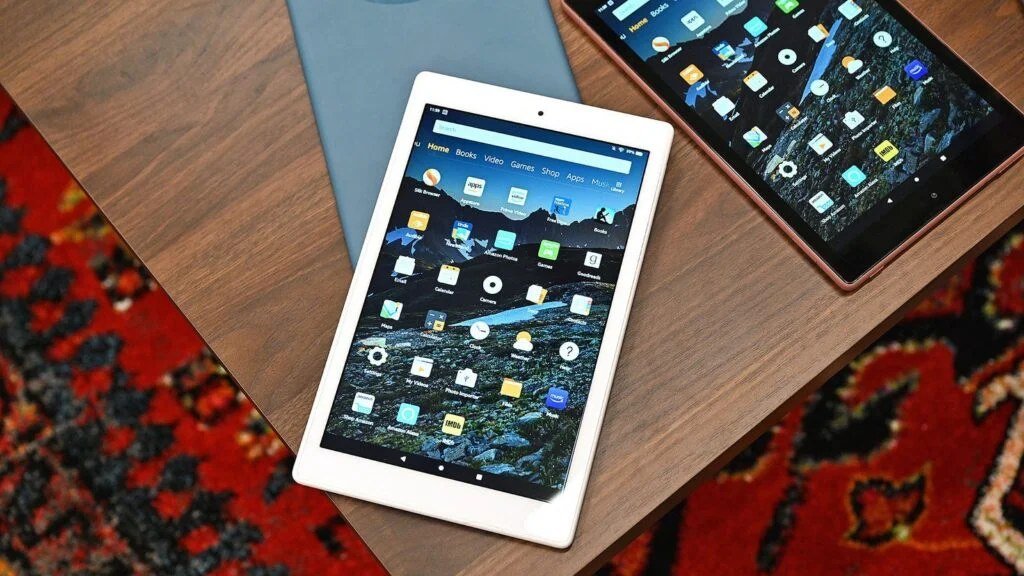
The Amazon Fire HD 10 ($140–$190) is the value king: a solid 10-inch screen, decent speakers, and all-day battery. The trade-off is Amazon’s app store instead of full Google Play — fine for reading and streaming, annoying if you want specific apps. Sideloading Google Play is possible but fiddly.
The Samsung Galaxy Tab A9+ ($200–$230 on sale) is my top pick for most people: full Android with Google Play, a bright 11-inch display, quad speakers, and Samsung’s update commitment. The 9th-gen iPad ($250–$330) costs more but wins on longevity — it’ll get updates for years and the app ecosystem is unmatched. For pure reading-and-Netflix duty, any of these three will make you happy; pick by ecosystem, not specs.
What Actually Matters (and What’s Marketing Noise)
Screen quality is everything for your uses. Look for at least 1920×1200 resolution on a 10–11 inch display — below that, text looks fuzzy and video looks soft. Brightness matters too if you read near windows. Beyond the screen, prioritize stereo speakers (mono speakers ruin movie night) and battery life over processor speed.
What doesn’t matter: the processor (any 2023+ chip streams 1080p flawlessly), the cameras (tablet cameras are universally mediocre — use your phone), and 5G (Wi-Fi is fine for a couch tablet). Storage: 64GB is enough if you stream; grab 128GB if you download lots of shows for travel. Amazon’s comparison charts and Samsung’s spec pages confirm these basics — and Wikipedia’s Wikipedia's overview of smartphones tablet overview is a good neutral reference.
The Budget Traps to Avoid
Skip the sub-$100 no-name tablets. They look identical in listings but ship with ancient Android versions, terrible screens, batteries that die in a year, and zero security updates. That $80 tablet is e-waste with extra steps — the $150 Fire HD is twice the tablet at less than twice the price.
Also skip buying more tablet than you need. If the job is reading and streaming, you don’t need a keyboard case, a stylus, or 256GB of storage — that’s upsell territory. And check the software update policy before buying: a tablet abandoned by its maker in 18 months is a security risk, not a bargain. If you’re also tablet-shopping for a student, our Which is better for students a Chromebook or a Windows laptop Chromebook comparison might change the plan entirely.
My buying rules for budget tablets:
- Budget $150–$250; below $100 is false economy, above $300 is overkill for reading/streaming.
- Prioritize screen resolution (1920×1200+), stereo speakers, and battery life.
- Pick your ecosystem: Fire HD for value, Galaxy Tab A9+ for Android, iPad for longevity.
- 64GB is fine for streamers; 128GB if you download shows for offline watching.
- Check the update policy — abandonware tablets are a security risk, not a deal.
Setting It Up Right on Day One
Whatever you buy, do three things immediately: install all system updates (budget tablets often ship months behind), turn on blue-light/night mode for evening reading, and install your reading and streaming apps before the excitement fades. Set up a kid profile if little hands will touch it — every major tablet OS has one now.
For reading specifically, try an e-ink-style reading mode if offered, bump font sizes up without shame, and download books for offline reading before trips. A $15 folding stand transforms the tablet from a hand-cramping slab into a proper little TV — best accessory purchase in this entire category.
The Bottom Line
What Is the Best Budget Tablet for Reading and Streaming? Before You Decide
Consider the used and refurbished market before buying new — a two-year-old iPad bought refurbished often costs the same as a new budget Android tablet while offering a better screen, longer update support, and stronger resale value. Apple’s refurbished store and reputable sellers offer warranties that make this nearly risk-free. The budget tablet market’s dirty secret is that a used premium tablet frequently beats a new cheap one at the same price.
Also think about who else will use it. If kids will touch the tablet, the Amazon Fire HD’s Kids Edition (with the no-questions-asked two-year replacement warranty — they will break it, and Amazon will replace it, no interrogation) is the only rational choice. If it’s purely yours, buy for your ecosystem. And whatever you buy, get the case on day one — tablets are slippery, and a $20 case prevents the $150 screen repair with near-certainty.
For reading specifically, consider whether you even need a tablet — a dedicated e-reader like a Kindle Paperwhite ($150) beats every tablet for book reading: weeks of battery, e-ink that’s easy on eyes, readable in direct sunlight, and no distractions. The tablet wins for magazines, comics, PDFs, and streaming; the e-reader wins for pure books. Many avid readers end up with both, bought refurbished, for less than one premium tablet. Match the device to the reading you actually do most.
For reading and streaming, the Samsung Galaxy Tab A9+ is the best all-around budget pick, the Fire HD 10 is the best value, and the base iPad is the longevity play. Buy for screen and speakers, skip the upsells, avoid no-name tablets, and you’ll have a great couch companion for years.
For reading and streaming, don’t overthink it: Fire HD 10 for value, Galaxy Tab A9+ for Android flexibility, base iPad for longevity — or a refurbished premium tablet that beats all three on price. Add a case on day one, and you’ve got years of couch entertainment for the price of a nice dinner out.
[…] 8 might have added chat features by age 9. For choosing the right device in the first place, our What is the best budget tablet for reading and streaming budget tablet guide covers the kid-friendly […]