
Introduction
NoPayStation is one of the most useful homebrew apps for the PlayStation 3. It lets you browse and download games, DLC, and updates directly on your console, using Sony’s own servers. If you have a modded PS3 and want an easier way to manage your game library, NoPayStation is worth setting up.
In this guide, I will walk you through downloading NoPayStation on PS3, installing it, adding the game database, and using it safely. Let us get started.
Direct Answer: How Do You Download NoPayStation on PS3?
To get NoPayStation on PS3, download the NoPayStation PKG file on your computer, copy it to a USB drive, plug the drive into your PS3, and install the PKG from the Package Manager. Then add the NoPayStation database URL in the app’s settings to load the game list.
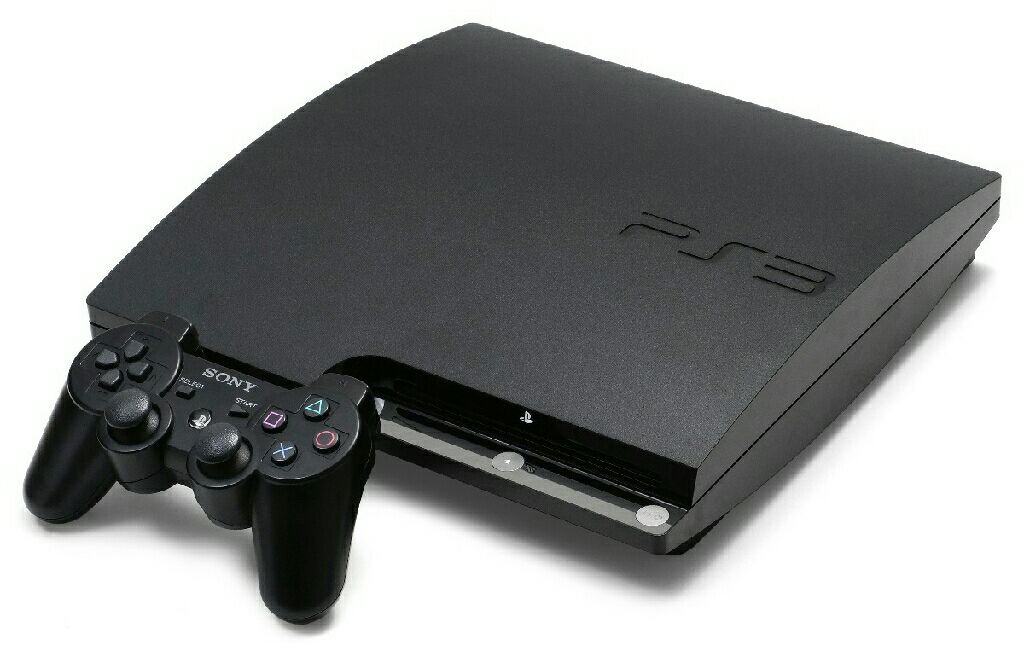
What You Need Before You Start
NoPayStation only works on a modded PS3. Here is what you need:
- A PS3 with custom firmware (CFW) or HEN. NoPayStation is a homebrew app, so your console must be able to run unsigned packages. Stock firmware will not work.
- A USB drive formatted as FAT32.
- A computer with internet access to download the PKG file.
- An internet connection on your PS3 for downloading games through the app.
If your PS3 is not modded yet, look up a CFW or HEN installation guide for your specific model first. This guide assumes that step is already done.
How to Download NoPayStation on PS3: Step-by-Step
Step 1: Download the NoPayStation PKG
On your computer, go to the official NoPayStation website at nopaystation.com. Download the latest PS3 PKG file. Make sure you grab the PS3 version, not the PC or Vita version.
Step 2: Copy the PKG to a USB Drive
Plug your FAT32-formatted USB drive into your computer. Copy the NoPayStation PKG file to the root of the drive (not inside any folder). Safely eject the drive.
Step 3: Install the PKG on Your PS3
Plug the USB drive into your PS3. Then:
- On CFW: go to Game > Package Manager > Install Package Files > Standard, select the NoPayStation PKG, and install it.
- On HEN: enable HEN first, then go to Package Manager and install the PKG the same way.
Once installed, you will see NoPayStation in your Game menu.
Step 4: Launch NoPayStation and Add the Database
Open NoPayStation from the Game menu. The first time you launch it, the game list may be empty. To fix this:
- Go to the app’s Settings.
- Find the Database URL field.
- Enter the official database URL from nopaystation.com (it is listed on the site’s setup page).
- Save, then refresh the app. The game list should now load.
Step 5: Download Games
Browse the list, pick a game, and hit download. NoPayStation downloads the PKG directly to your PS3. Once the download finishes, install the PKG from Package Manager like you did in Step 3.
Tip: large games take a while. Start downloads before bed and let them run overnight.
Tips for Using NoPayStation
- Keep the app updated. Check nopaystation.com every few months for new versions — updates fix bugs and refresh the database.
- Use a wired connection. PS3 Wi-Fi is slow. An ethernet cable makes big downloads much faster and more reliable.
- Check free space first. PS3 games are big — some are 20 GB or more. Make sure your hard drive has room before starting a download.
- Download updates too. NoPayStation also lists game updates and DLC. Grabbing the latest update for a game fixes bugs and improves performance.
Common Mistakes to Avoid
- Skipping the database URL. Without the database, NoPayStation shows nothing. This is the number one reason people think the app is broken — it is just missing the database link.
- Using the wrong PKG version. The Vita and PC builds will not install on PS3. Double-check you downloaded the PS3 PKG.
- Forgetting to enable HEN. On HEN consoles, you must enable HEN every time you reboot before installing or running homebrew.
- Downloading to a full drive. Failed installs are often just a space problem. Check your storage in Settings > System Settings > System Information.
For more PS3 homebrew help, check out our guide to the best PS3 homebrew apps and how to back up PS3 game saves.
FAQs
Is NoPayStation free?
Yes, NoPayStation is completely free. It downloads content from Sony’s own content delivery servers, which is why downloads are fast and reliable.
Do I need a modded PS3 for NoPayStation?
Yes. NoPayStation is a homebrew PKG, so your PS3 needs custom firmware (CFW) or HEN to install and run it. It will not work on stock firmware. Learn more about PS3 custom firmware on Wikipedia’s PlayStation 3 page.
Why is my NoPayStation game list empty?
The database URL is missing or outdated. Go to Settings in the app, enter the current database URL from nopaystation.com, and refresh.
Can I use NoPayStation on PS4 or PS5?
No. NoPayStation is built for PS3 (and has a separate Vita version). It does not work on PS4 or PS5.
Is it safe to go online with NoPayStation?
NoPayStation downloads from Sony’s official servers, which is generally safe. However, using a modded console online always carries some ban risk. Many users stay offline or use PSNPatch-style precautions.
Where does NoPayStation save downloads?
Downloaded PKGs are saved to your PS3’s hard drive, usually in the package download folder. Install them from Package Manager after downloading.
Conclusion
Setting up NoPayStation on PS3 takes about fifteen minutes: download the PKG, install it from a USB drive, add the database URL, and you are done. It is the easiest way to browse and download PS3 content directly on the console.
Keep the app updated, watch your storage space, and enjoy your library.