
What Are the Most Useful AI Features Built Into New Phones?
What are the most useful AI features built into new phones? Phone makers now splash “AI” across every launch event, but the marketing avalanche buries a real question: which of these features will you actually use after week two? Having tested the AI suites on recent iPhones, Pixels, and Galaxy devices, here is my honest ranking — the features that genuinely earn their keep, the ones that are nice but forgettable, and the gimmicks you can ignore.
Tier 1: Genuinely useful every week
Spam and scam call screening
The single best AI feature on any phone. Google’s Call Screen answers unknown callers with an AI assistant, transcribes their response live, and lets you decide — spam dies without your phone ever ringing. Apple’s Live Voicemail does similar. Given the epidemic of robocalls and the rise of AI voice scams, this is not a convenience — it is protection. If you enable one AI feature, make it this one.
Voice typing and dictation
Modern on-device dictation is fast, accurate, and private — good enough that many people now dictate messages, emails, and notes instead of typing. It handles punctuation commands, multiple languages, and noisy environments far better than the dictation of five years ago. For anyone who writes a lot on their phone, this is transformative.
Live transcription and translation
Real-time transcription of calls and recordings (Pixel’s Recorder, iPhone’s call transcription where available), plus live translation of conversations and signs via camera. For travelers, multilingual families, students, and anyone with hearing difficulties, these are life-improving features, not gimmicks.
Computational photography
The reason your phone takes great photos despite a tiny lens: AI merging multiple exposures, night mode that sees in the dark, portrait relighting, and intelligent HDR. You use this every time you open the camera. It is the most-used AI on your phone and you never think about it — which is exactly how good AI should work. Pair it with AI photo editing and your phone is a complete camera system.
Tier 2: Useful sometimes
- Notification summaries: AI-condensed notification digests. Great in theory; in practice, occasionally mangles nuance. Keep for low-stakes apps, disable where accuracy matters.
- Smart replies: Suggested one-tap responses in messaging apps. Handy for “on my way!” and “thanks!” — weird for anything substantive.
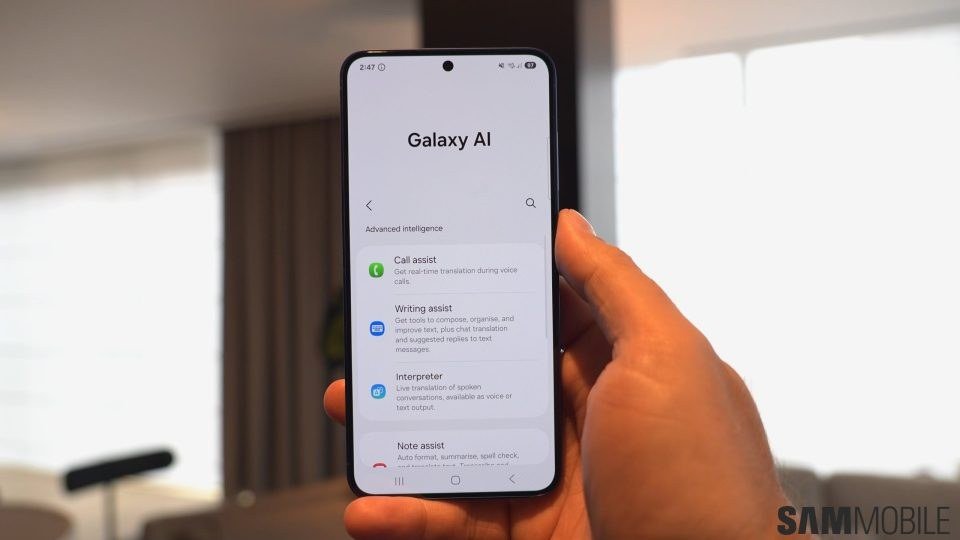
- Writing assistance: Tone rewrites and proofreading in any text field. Useful for quick polish; the suggestions all sound vaguely the same, so edit for your voice.
- Circle to Search / visual search: Circle anything on screen to search it. Surprisingly handy for identifying products, translating text in images, and “what is this thing” moments.
- Photo object removal: Magic Eraser-style cleanup. Fun and occasionally genuinely useful for salvaging shots.
- On-device personal assistant: The improved Siri/Gemini — better at understanding context and chaining requests. Still not the revolution promised, but incrementally more useful yearly.
Tier 3: Mostly marketing
AI-generated emoji (fun for a day), AI wallpapers (novelty), heavily marketed “AI photo” features that produce uncanny results, and any feature whose demo involves a scenario you will never encounter. Also beware features that sound useful but require subscriptions, constant connectivity, or send your data to the cloud for something your phone could do locally. The test is always: will I use this in 30 days? If the answer involves imagining a scenario, the answer is no.
The privacy dimension
The most important spec nobody advertises: on-device vs. cloud processing. Apple’s marketing emphasizes on-device AI (your data stays on your phone); Google’s Pixel does much on-device too; Samsung and others vary. On-device AI is inherently more private and works offline — prefer it. Cloud-processed features (complex generative AI, advanced assistants) send your data to company servers. Neither is automatically bad, but you should know which you are using — especially given the broader questions about what voice assistants capture and how to disable features you do not want.
What are the most useful AI features built into new phones? How to evaluate
Do not buy a phone for its AI marketing. Buy for camera, battery, screen, and longevity — then treat AI features as a bonus. When comparing: check which AI features run on-device (privacy + offline), check how long the manufacturer promises software updates (AI features arrive via updates; 7 years of updates beats a flashy launch-day demo), and ignore any AI feature you cannot test in the store. The useful ones — call screening, dictation, camera — you can try in five minutes. If a salesperson cannot demo it live, it is marketing.
Getting more from the features you keep
Once you have decided which AI features earn their place, a little setup multiplies their value. Train voice typing: use it daily for two weeks — accuracy improves as the on-device model adapts to your voice and vocabulary. Customize call screening: set your screening to auto-decline known spam while asking unknown callers to state their business; review the transcripts weekly at first to calibrate. Teach the camera your preferences: most camera apps learn from your editing choices — consistently adjusting the same way trains its defaults. Set up routines: combine AI features into automations (arrive home → silence unknown callers, enable photo backup on Wi-Fi) through your phone’s routines app. The pattern: AI features improve with use and configuration, so the ones you keep deserve ten minutes of setup. Ten minutes once, better phone for years.
The bottom line
The most useful AI features built into new phones are the invisible protective ones — spam call screening, on-device dictation, live transcription and translation, and computational photography. These earn their keep weekly. Notification summaries, smart replies, and writing tools are nice-to-have. The rest is largely marketing glitter. Judge AI features by the 30-day test, prefer on-device processing for privacy, and remember that the best phone AI is the kind you never notice — it just makes the phone work better. For the technology behind it all, the rise of on-device AI explains why your phone can now do what once required a data center.
[…] Related reading: for hands-on control, see how to turn off AI phone features you do not want and our ranking of the most useful AI features built into new phones. […]