
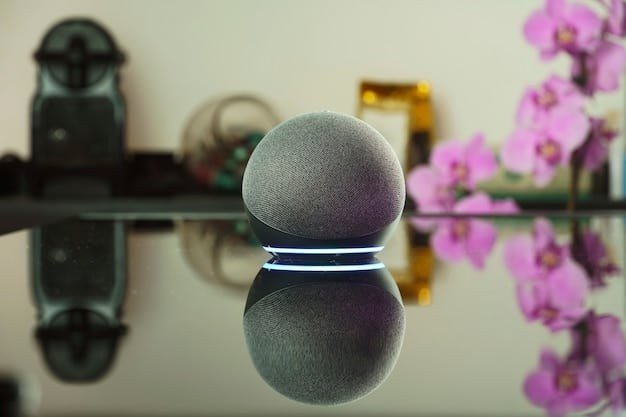
Do AI Voice Assistants Listen to Conversations All the Time?
Do AI voice assistants listen to conversations all the time? This is the question that makes people side-eye the smart speaker on their kitchen counter. The technically precise answer: yes, the microphone is always on — but no, it is not recording and transmitting everything you say. There is a crucial difference between listening for something and listening to everything, and understanding that difference is the key to thinking clearly about voice assistant privacy.
How wake-word detection actually works
Smart speakers and phones use a two-stage system. Stage one runs entirely on the device: a tiny, low-power neural network listens locally for just the wake word (“Alexa,” “Hey Siri,” “Hey Google”). This local processing means your everyday conversations never leave the device at this stage — the chip is pattern-matching for a specific sound, not recording or understanding speech. It is more like a smoke detector waiting for smoke than a microphone recording audio. Only when the wake word is detected does stage two kick in: the device starts recording and sends your voice command to cloud servers for full processing.
This architecture exists partly for privacy optics but mostly for engineering reasons — streaming 24/7 audio to the cloud would destroy battery life and bandwidth. The system is designed to be deaf to everything except its trigger phrase.
So what is the catch? (There are several)
False activations happen constantly
Wake-word detection is imperfect. Devices mishear similar-sounding words (“Alexa” vs. “election,” “Siri” vs. “seriously”) and activate accidentally — studies suggest smart speakers falsely trigger multiple times per day in typical households. Each false activation records and uploads a snippet of whatever was being said. You can review (and delete) these accidental recordings in your device’s privacy settings, and you should — the collection of “oops” recordings is often eye-opening.
Recordings live in the cloud
Once activated — correctly or not — your voice goes to company servers, where it is stored, transcribed, and potentially reviewed. Human reviewers have listened to anonymized snippets for quality control at every major provider (this was a scandal when revealed, and policies have tightened since, but the practice shaped the industry). Retention periods vary and defaults historically favored the companies. Check your settings: you can usually opt out of human review, set recordings to auto-delete after 3 or 18 months, or delete them manually.
The metadata is revealing
Even without recording conversations, voice assistants build detailed profiles: what you ask about, when you are home, your routines, your shopping interests, your music taste. This behavioral data feeds advertising and product ecosystems. The privacy question is not just “are they recording my arguments?” but “what picture of my life are they assembling from my interactions?”
Third-party skills and apps
When you enable third-party voice apps (“skills”), your voice data may flow to those developers under their own privacy policies — which you almost certainly have not read. Each enabled skill is another party with potential access to your interactions.
What the evidence actually shows
Let us be fair: despite years of suspicion, no credible evidence has emerged that major voice assistants secretly record everything and upload it. Security researchers have monitored network traffic from these devices extensively — they transmit in bursts after activation, not continuously. The business model does not require 24/7 recording; the interaction data they do collect is already enormously valuable. That said, “they are probably not recording everything” is cold comfort given the false activations, cloud storage, and human review that do happen. The realistic privacy posture: assume anything said near an active smart speaker could theoretically be captured, and act accordingly.
Do AI voice assistants listen to conversations all the time? Protecting yourself
- Review and delete recordings regularly. Every major platform lets you see what was captured and delete it. Do this monthly — or set auto-delete.
- Opt out of human review in privacy settings where available.
- Use the mute button. Every smart speaker has a physical microphone mute. Use it during sensitive conversations — it is the only guarantee.
- Keep speakers out of bedrooms and home offices where the most sensitive conversations happen.
- Audit third-party skills and remove ones you do not use.
- For truly sensitive discussions, unplug the device. Paranoia is unnecessary; prudence is not.
These same principles apply to the broader question of what you share with AI systems generally — voice just feels more intimate because it captures how you sound, not just what you type.
Smart home privacy beyond the speaker
Voice assistants are just one node in an expanding smart-home surveillance surface. Video doorbells record your visitors (and your comings and goings), smart TVs track viewing habits, robot vacuums map your floor plan, and connected appliances phone home with usage data. Each device has its own privacy policy, retention practices, and breach history — and most people never read any of them. The practical approach: audit annually — list every connected device and check its privacy settings; segment your network — put IoT devices on a guest network isolated from your computers and phones; disable what you do not use — the camera on the smart display, the voice purchasing, the “improvement” data sharing; and prefer local processing where available. Your home should be the most private place in your life, not the most monitored.
Worth remembering: the goal is not a surveillance-proof home — it is an informed one. A few minutes in settings today buys years of quieter peace of mind, and the mute button remains the most honest privacy feature ever shipped.
Related reading: for hands-on control, see how to turn off AI phone features you do not want and our ranking of the most useful AI features built into new phones.
The bottom line
Voice assistants do not record your conversations all the time — but their microphones are always listening for the wake word, they falsely activate regularly, and what they do capture lives in the cloud. The honest framing: not “always spying,” but “sometimes capturing, always profiling.” Use the mute button, manage your settings, keep devices out of sensitive spaces, and you can enjoy the convenience without the anxiety. For the technical details, how virtual assistants process voice explains the on-device versus cloud architecture that makes this whole system work.